
Confirm an engine is installed
Make sure the car actually contains an engine and that it appears seated in the current build. Do not move to fuel if the core component is still loose, absent, or unclear.
Work through seven A desrt no-start checks: engine, fuel, power, oil, cooling, driver position, and the official R input, then use the interactive diagnostic.
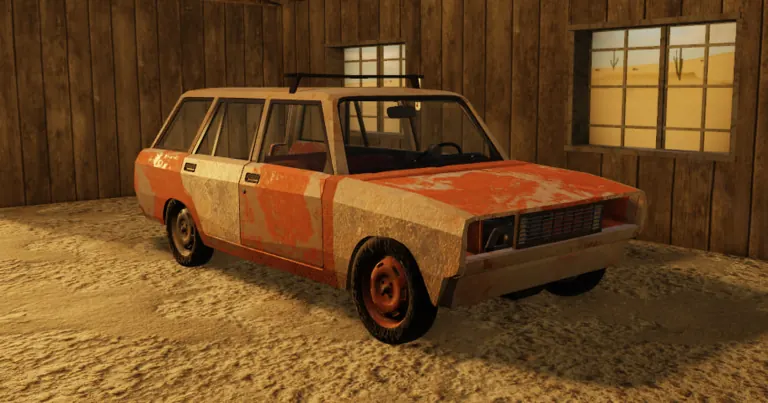 OFFICIAL GAME ART
If the engine is already running, use the movement branch below instead of repeating the ignition checklist. Otherwise check engine installation, the relevant fuel or power supply, visible fluid warnings, driver position and the official R start input. Stop at the first condition that is missing or unclear.
In one A desrt discussion, a commenter suggested a loose fan belt and the original poster replied with thanks. The thread does not explicitly report that the engine restarted or that a repair succeeded.
Keep this as an unconfirmed inspection lead after the main visible-system checks, not a diagnosis or a rule that every build needs the same belt arrangement.
Community suggestion — Successful repair not reported Player question reviewed
Read the original discussionThese are planning conditions, not hidden gates or guaranteed item requirements.
Choose the closest observable symptom before changing parts. The matrix narrows the first checks; it does not claim a hidden fault code.
| Symptom | Check first | Next action | Scope note |
|---|---|---|---|
| No responseOpen preset | Engine present, power connection, driver position, and the official R input. | Confirm one visible state at a time, then press R once from the usable driving position. | Silence does not identify a fuel, fluid, damage, or server fault by itself. |
| Cranks but will not startOpen preset | Fuel state, installed engine state, and any visible oil or cooling warning in the current client. | Stop repeated attempts and change only the first condition that is visibly missing or rejected. | Use this row only if the current vehicle gives an observable cranking response. |
| Starts then stopsOpen preset | Fuel or power continuity, loose connections, visible damage, and fluid state. | Return to a safe baseline, record which state changes immediately before the stop, and retest once. | No universal stall timer or resource threshold is claimed. |
| Starts but cannot moveOpen preset | Driving mode, selected gear, clutch state, current brake indication, wheel attachment and visible obstruction. | Keep the working engine setup unchanged. Check the controls first, then inspect one movement-related component at a time. | Use the manual-driving reference only when that mode applies. A running engine does not establish usable wheel drive. |
| Overheats after drivingOpen preset | Radiator, water or visible cooling state, engine setup, vehicle load, damage, and the route before the warning. | Stop, record the visible state, restore one cooling condition, and repeat only a short controlled route. | No fixed overheat timer, temperature, or universal cooling recipe is claimed. |
| Mobile or controller inputOpen preset | Current on-screen prompts, selected seat, controller focus, and whether R is only documented for keyboard. | Follow the current client prompt and report the platform; do not map a keyboard key to an invented button. | Official mobile and controller start mappings were not found in the checked public description. |
| Server or update stateOpen preset | Exact experience, server age, current event state, visible part labels, and whether another fresh server behaves differently. | Preserve the failed setup, note the build date, then compare one fresh server without changing the vehicle configuration. | A server difference is evidence of a state or version question, not proof of a specific bug. |
Start with the driving state, not another round of fuel or ignition changes.
This is a troubleshooting order, not a confirmed diagnosis. If movement still fails, keep the engine configuration unchanged so that the next comparison changes only one condition.
Community-reference review: September 12, 2026 (UTC); not independently playtested.
Make sure the car actually contains an engine and that it appears seated in the current build. Do not move to fuel if the core component is still loose, absent, or unclear.
The official premise requires fuel before departure. Confirm the vehicle has fuel and that you are not mistaking a nearby container for fuel already in the car.
Inspect the visible power component or connection used by the current setup. A part that is merely nearby is not necessarily installed or usable.
Inspect the engine's visible oil state before making more start attempts. Exact quantity and consumption are not asserted because the public material is incomplete.
Inspect the cooling setup. Treat this as a maintenance condition, not proof that every no-start problem is caused by the radiator.
Sit in the driver position and make sure the car is in a usable interaction state. Community-documented interaction keys can help move or seat parts, but they are separate from the official start instruction.
Press R from the driving position. If the engine still does not start after every earlier condition is confirmed, stop cycling inputs and inspect for visible damage, missing connections, server state, or a recent update.
Better move: Return to the first unconfirmed system and make one observable change at a time.
Better move: Check the current container, gauge, or interaction state where the game exposes it.
Better move: Inspect placement and interaction feedback before moving forward.
Better move: Use R for starting; keep pickup, drag, push, and sit controls in their own category.
Better move: A part can be present without being properly seated or connected. Recheck visible belts and attachments before swapping several unrelated systems at once.
Recheck engine, power, driver position, and R before adding more fuel or fluid guesses.
Open the focused pageTreat the cause as unresolved. Inspect visible damage and connections, then compare the current server with update notes.
Open the focused pageUse the controls page to separate the official R instruction from community-documented object interactions.
Open the focused pageThe official description says to press R to start the engine.
No universal rule is claimed. It is one useful cooling and maintenance check in the diagnostic order.
Follow the current in-game labels and behaviour. This guide does not publish an inconsistent compatibility table.
The cause is not isolated by this checklist. Inspect visible damage, missing connections, server state, and recent updates.
No universal belt rule is established here. The linked thread records a suggestion and a thank-you reply, not a documented successful restart. Use it as a limited inspection lead rather than a confirmed fix.